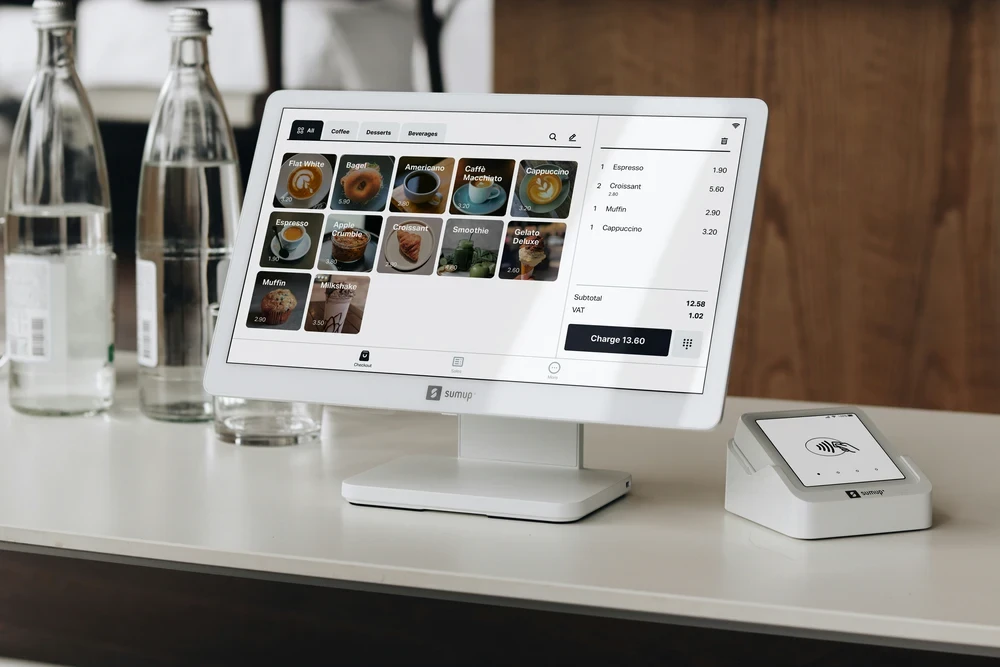
Project overview Implementing a POS system involves careful planning and a phased approach to ensure a smooth transition with minimal disruption to daily operations.
- Needs Assessment and Planning: The project begins with a thorough analysis of a business's specific needs, budget, and operational workflows. Key stakeholders and employees provide input to ensure the selected system addresses pain points like slow transactions, inventory inaccuracies, or complex reporting.
- System Selection and Customization: After researching different vendors and POS types (e.g., cloud-based, on-premise, or mobile), the right software and hardware are chosen. Customization is key, such as setting up a restaurant's menu with images or configuring a retail store's inventory and product variations.
- Data Migration: Existing business data, including inventory, customer information, and sales history, is accurately transferred from manual records or older systems to the new POS to ensure continuity and integrity.
- Staff Training: Comprehensive training is crucial for successful adoption. Employees learn how to use the new system for daily tasks like processing transactions, managing returns, and tracking inventory. Clear guidelines and hands-on practice help build confidence and maximize efficiency.
- Go-Live and Support: The system is launched during a low-traffic period to minimize risk. After launch, performance is monitored, and technical support is available to quickly resolve any issues that arise. This post-implementation phase is vital for long-term success.
Challenges
- Implementation complexity: Transitioning from older methods can be complex and time-consuming, involving technical integration with existing hardware, software, and payment systems.
- Cost of investment: The initial expense of hardware, software, and implementation can be a barrier for many small and medium-sized businesses (SMEs) with limited budgets.
- Employee resistance to change: Staff who are used to manual processes may be hesitant to adopt new technology. Proper training and communication are key to getting employee buy-in.
- Reliable internet connectivity: Cloud-based POS systems depend on a stable internet connection. Businesses must have reliable network infrastructure or robust offline functionality to prevent service disruptions.
- Data security: POS systems handle sensitive customer and financial information, making them targets for cyberattacks. The system must have strong security features, including data encryption and compliance with industry standards like PCI DSS.
Final results
- Improved operational efficiency: Automation reduces manual errors, speeds up the checkout process, and frees up staff time, boosting overall productivity.
- Informed decision-making: The system provides detailed reports on sales trends, inventory turnover, and customer purchasing habits. This data helps owners make smarter decisions about stock, promotions, and staffing.
- Enhanced customer experience: Faster transactions, streamlined service, and the ability to run loyalty programs create a smoother, more personalized shopping experience. This leads to higher satisfaction and customer loyalty.
- Better inventory control: Real-time inventory tracking and automated reordering prevent stockouts and overstocking, leading to reduced waste and improved cash flow.
- Effective employee management: Features for scheduling, time tracking, and performance monitoring simplify HR tasks and provide data to reward top performers and identify areas for training.
- Increased security and compliance: Advanced security features and automated compliance checks protect sensitive data and reduce the risk of fraud and legal issues.
Own a retail store and need a POS system to manage your sales and inventory? Get in touch with us today for a free quotation of this system.